
AI Character Consistency: Keep Faces the Same Across Images
How to keep characters consistent across AI images: the right reference photos, which models hold identity best, prompt patterns, and Beast mode testing.
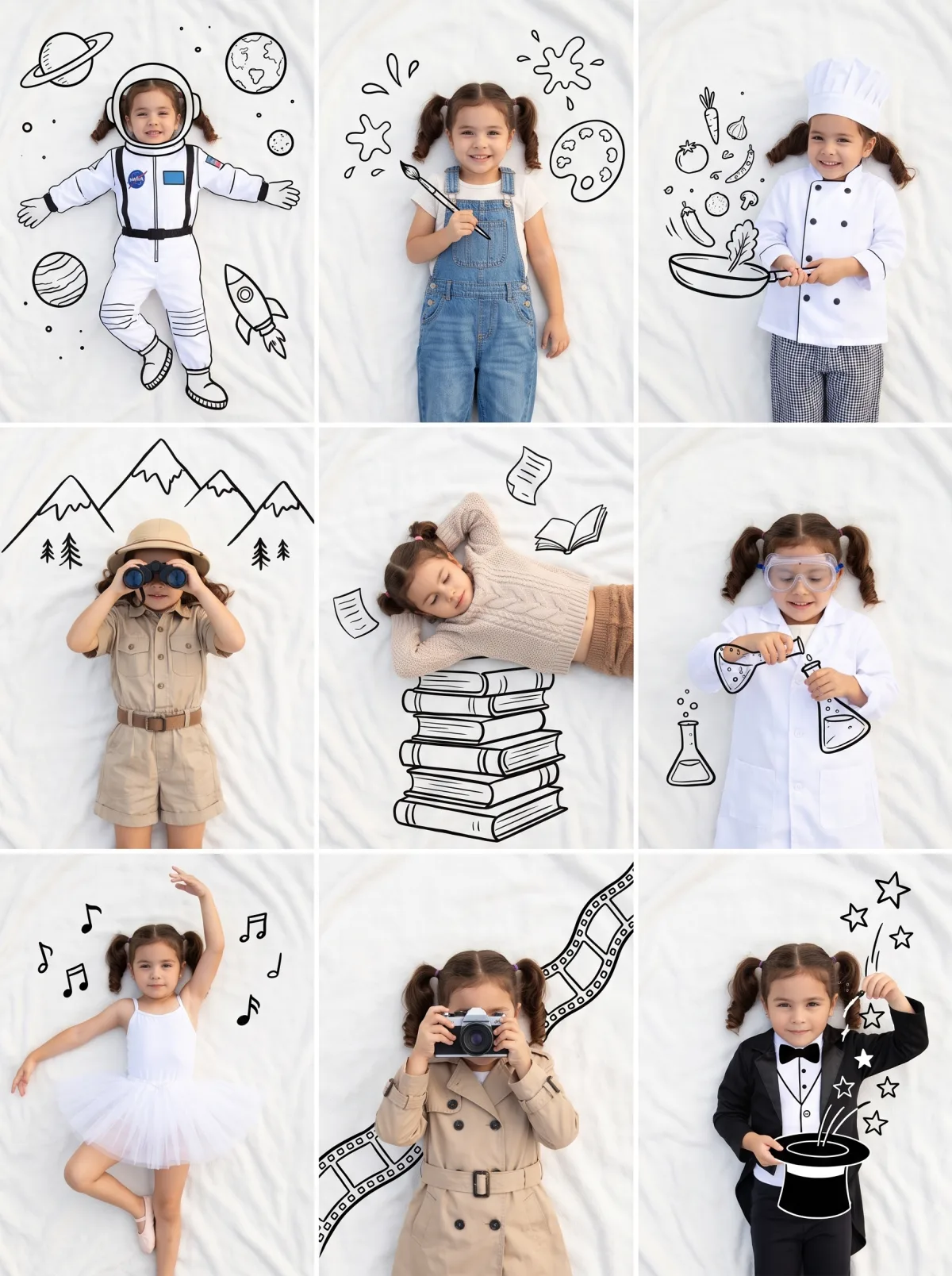
Generating one great image of a character is easy. Generating the tenth image of the same character, with the same face, hair and outfit, is where most AI projects fall apart. The jawline drifts, the eye colour changes, the jacket gains a pocket, and suddenly your comic, storyboard or brand mascot looks like a cast of cousins.
This guide covers what actually keeps characters consistent: good reference images, choosing a model that holds identity well, prompt patterns that lock the important details, and a quick way to test which model handles your character best.
Why characters drift
Image models don't remember previous generations. Each image is made from scratch, from your prompt and whatever references you attach. If the prompt only says "a young woman with brown hair", there are millions of valid answers, and you get a different one each time.
Consistency comes from reducing the number of valid answers. You do that in three ways:
- References that show the model exactly who the character is.
- A fixed character description that you reuse word for word.
- A model that is good at holding identity, especially with several characters in a scene.
Step 1: Build a reference set
Reference images do most of the work. In the Studio you can attach up to 8 reference images per generation, which is enough for a proper character sheet.
What to include
- 2–3 face shots from slightly different angles: front, three-quarter, side. Even lighting, neutral expression, no sunglasses or heavy shadows.
- 1 full-body shot showing the outfit, proportions and shoes.
- 1–2 detail shots for anything distinctive: a tattoo, a logo on a jacket, a hairpin.
What to avoid
- Heavily filtered or beauty-retouched photos. The model will copy the filter.
- Group photos where it is unclear which person is the character.
- References in clashing styles (a photo, an anime drawing and a 3D render of the same character). Pick one style.
No real photos? Make a character sheet first
If the character is invented, generate a character sheet first: one image showing the same character from the front, side and back on a plain background. Once you have a version you like, use it as the reference for every image that follows.
Step 2: Write a fixed character description
Write a short description of the character once, and paste it into every prompt unchanged. Think of it as the character's ID card.
Mia: a woman in her late twenties with a round face, light freckles across the nose, green eyes, and shoulder-length copper hair with a straight fringe. She wears a mustard-yellow raincoat over a white t-shirt, dark jeans and white sneakers.
Tips for writing it:
- Be specific about the features that make the character recognisable: face shape, eye colour, hair length and style, signature clothing.
- Keep it the same every time. Rewording "copper hair" as "auburn hair" in the next prompt gives the model permission to change it.
- Put it early in the prompt, before the scene description.
Step 3: Choose a model that holds identity
Models differ a lot here. The ratings below are the same ones shown on the Nano Banana Art homepage.
| Model | Multi-character | Photorealism | From (credits/image) | Best for | | --------------- | --------------- | ------------ | -------------------------- | ---------------------------------------------- | | Nano Banana Pro | ★★★★★ | ★★★★★ | 80 | Final renders, many references, complex scenes | | Nano Banana 2 | ★★★★★ | ★★★★ | 40 | Fast drafts, batches of variations | | Seedream 5 Pro | ★★★★ | ★★★★★ | — | Anime, illustrated and cinematic characters | | GPT Image 2.5 | ★★★ | ★★★★ | 25 (Flare) / 30 (Sunburst) | Scenes where text matters more than faces |
The practical takeaways:
- Nano Banana Pro is the strongest choice for consistency, especially with several characters or many references. It starts at 80 credits per image and goes up to 4K.
- Nano Banana 2 matches Pro on multi-character scenes and starts at 40 credits per image, so it is a good way to explore poses and scenes before a final render.
- Nano Banana 2.1 supports up to 8 references and 4K, and is a solid general option.
- Seedream 5 Pro is the pick when the character is stylised (anime, illustration, cinematic), up to 2K. Seedream 4.5 also takes up to 8 references and is aimed at ad layouts.
- GPT Image 2.5 is weaker at keeping several characters distinct. Use it when the image is mostly about text, like a poster with your character as a small element.
If you set the model to Auto, the Studio sends prompts with 3 or more references or multiple subjects to Nano Banana Pro automatically, which is usually what you want for character work.
Step 4: Use prompt patterns that lock identity
These patterns help the model understand what must stay fixed and what can change.
Pattern A: Name the reference and what to keep
Use image 1 and image 2 as the reference for Mia's face and hair, and image 3 for her outfit. Keep her face, freckles, eye colour and hairstyle exactly the same. Mia is sitting at a window seat in a café, holding a cup of tea, looking out at the rain. Soft overcast light, 50mm lens, natural colours.
Pattern B: Change one thing at a time
When making a series, vary the scene but keep everything else stable. State what changes and what doesn't.
Same character as in the references, same outfit and hairstyle. Only the setting changes: Mia is now waiting on a train platform at night, under a station light. Same colour grading and camera style as before.
Pattern C: The 3×3 consistency grid
A grid forces the model to keep one identity across nine panels at once, and gives you nine poses to pick from.
A 3×3 grid of nine photos of Mia from the references. Her face, hair, freckles and yellow raincoat are identical in every panel. Each panel shows a different moment: buying flowers, cycling, reading, laughing on the phone, cooking, walking a dog, sitting on a bench, waving, looking over her shoulder. Consistent lighting and colour grading, thin white gutters.
Pattern D: Two or more characters
Describe each character separately and say where each one is. This is where the Nano Banana models do best.
Two characters at a picnic in a park. On the left: Mia, from images 1–3, unchanged. On the right: Leo, from images 4–5, a tall man with short black curly hair, round glasses and a navy sweater. They are sharing a sandwich and laughing. Both faces clearly visible and distinct. Late afternoon sun, 35mm lens.
Step 5: Test with Beast mode before committing
You won't know which model handles your particular character best until you try. Beast mode runs the same prompt and references on several models at once, so you can compare identity side by side:
- The Pro plan runs up to 4 models at once; Ultimate runs up to 8.
- A good comparison set for character work: Nano Banana Pro, Nano Banana 2, Nano Banana 2.1 and Seedream 5 Pro.
- Pick the model that keeps the face closest to your references, then make the rest of the series on that model.
Any image that fails to generate is refunded automatically. New accounts get free starter credits with no credit card, which is enough to test a reference set.
Common problems and fixes
| Problem | Likely cause | Fix | | -------------------------------- | ------------------------------------ | -------------------------------------------------------------------- | | Face slowly drifts over a series | Description reworded between prompts | Paste the exact same character description every time | | Outfit changes | No full-body reference | Add a full-body shot and name it as the outfit reference | | Two characters merge | Model weak at multi-character | Switch to Nano Banana Pro or Nano Banana 2; describe each separately | | Style keeps changing | Mixed-style references | Use references in one style only | | Character looks over-smoothed | Filtered or retouched source photos | Use natural, unfiltered photos |
Privacy and usage
If your references are photos of real people, think about where the results will appear. Without Private Mode, images appear in the public gallery. Private Mode is available on Pro, Ultimate and team plans, which also include a commercial license. See pricing for plan details, and the API docs if you want to automate a character pipeline.
FAQ
What is the best AI model for character consistency?
On Nano Banana Art, Nano Banana Pro is the strongest overall: five stars for multi-character scenes and photorealism, and it handles many references well. Nano Banana 2 matches it on multi-character work at a lower starting price. For anime or illustrated characters, try Seedream 5 Pro.
How many reference images should I use?
Three to five is a good starting point: two or three face angles, one full-body shot, and optionally a detail shot. The Studio accepts up to 8.
Can I keep a character consistent without real photos?
Yes. Generate a character sheet first (front, side and back views on a plain background), then use that image as the reference for everything else, alongside a fixed text description.
Why does my character's face change between images?
Usually because the description changed, the references are unclear, or the model is weak at identity in that type of scene. Reuse the exact same description, use clean references, and compare models in Beast mode.
Can I put two consistent characters in one image?
Yes. Give each character their own references and description, say where each one stands, and use Nano Banana Pro or Nano Banana 2, which both rate five stars for multi-character scenes.