
Nano Banana Pro 提示词指南:10 个好用的示例
教你写出真正好用的 Nano Banana Pro 提示词:一套简单的提示词结构、参考图的正确用法,以及 10 个可直接复制的示例,涵盖产品图、人像、文字海报、九宫格角色图、信息图和 UI 界面等常见场景。
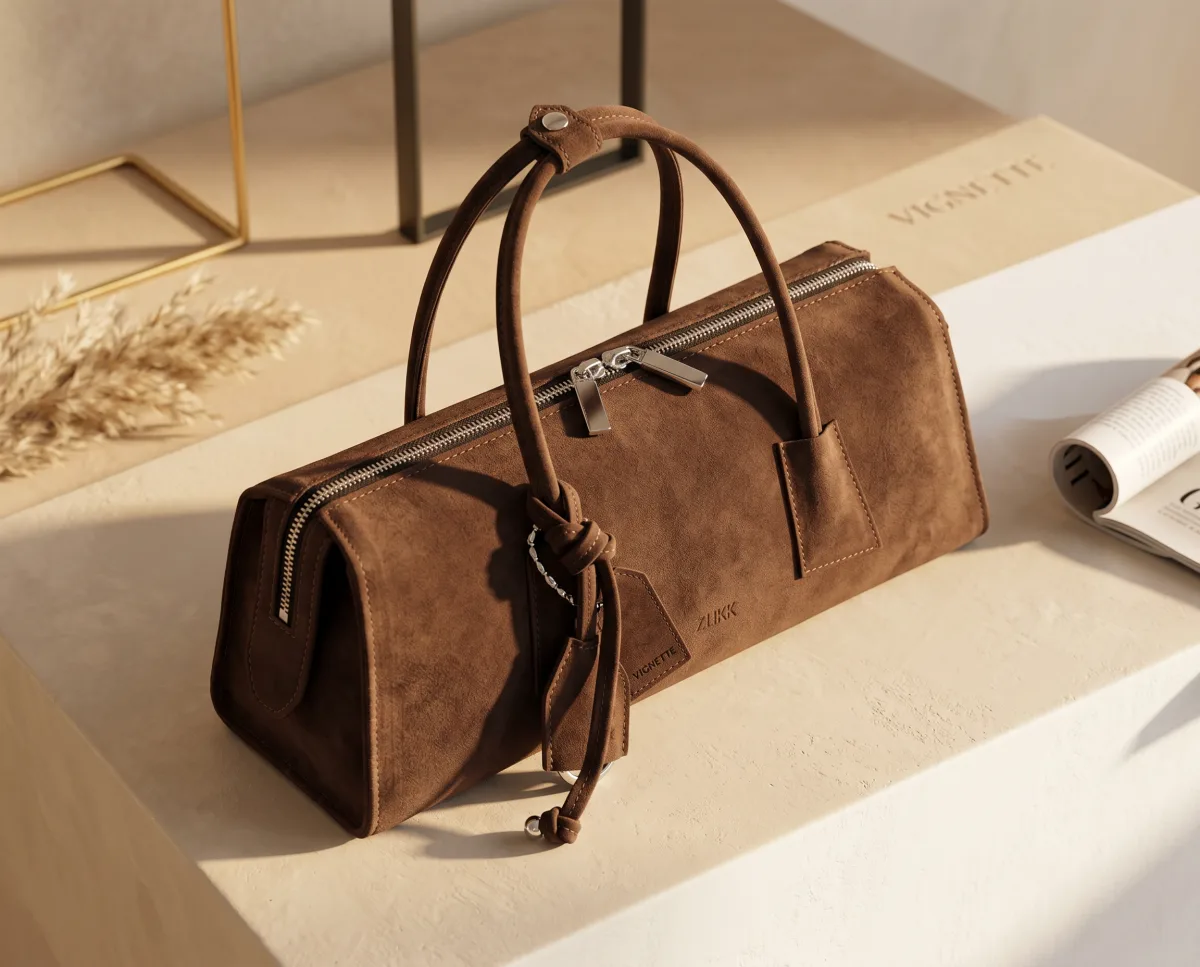
Nano Banana Pro 是 Google 画质最高的图像模型。它能处理复杂场景、理解长指令,还能同时参考多张图片。也正因如此,含糊的提示词等于浪费它的能力:你会得到一张好看的图,只是不是你想要的那张。
这篇指南会介绍一套简单的提示词结构,让你一两次就能出对图;讲清楚参考图该怎么用;最后给出十个示例提示词,可以直接复制到 Studio 里修改使用。
为什么 Nano Banana Pro 的提示词要换个写法
早期的图像模型吃"关键词堆砌"那一套:"8K、杰作、超精细、热门"。Nano Banana Pro 读提示词更像在读一份需求说明,它最擅长理解 用完整句子描述的画面,以及明确的"哪些地方不能变"的要求。
由此带来几条实用原则:
- 描述,而不是打标签。 "一只陶瓷马克杯放在胡桃木书桌上,晨光从左侧窗户照进来",远胜于"马克杯、书桌、早晨、电影感、8K"。
- 最重要的先说。 主体和这张图的用途,放在风格细节之前。
- 文字要写明确。 想让画面出现的文字,用引号括起来,并说明放在哪里。
- 给参考图命名。 上传了图片,就告诉模型每张图是干什么用的。
一套好用的提示词结构
按下面的顺序写。不必每次都写全,但这个顺序能让提示词清晰易读。
| 部分 | 写什么 | 示例 | | --------- | ---------------------------- | ---------------------------------- | | 主体 | 是谁或是什么,加上关键细节 | "一台哑光黑色意式咖啡机" | | 动作/状态 | 正在发生什么 | "刚萃取完,蒸汽缓缓升起" | | 场景 | 在哪里,周围有什么 | "放在一家小咖啡馆的水泥台面上" | | 构图 | 景别、角度、镜头 | "低角度四分之三侧面,50mm,浅景深" | | 光线 | 光源、时间、氛围 | "柔和的窗光从右侧照入" | | 风格 | 媒介或视觉风格 | "杂志风产品摄影" | | 文字 | 用引号写出确切文字,加上位置 | "左上角标题 'SLOW MORNINGS'" | | 限制条件 | 哪些不能变、哪些不能出现 | "不要其他 logo,标签保持不变" |
Studio 支持最长 3,000 字符 的提示词,写一份完整的需求绰绰有余。但长不等于好:每一句话都应该对画面产生实际影响。
动笔前先选好这些设置
- 画面比例。 直接在 Studio 里选(1:1、16:9、9:16 等),而不只是在提示词里描述。按图片的实际用途来选。
- 分辨率。 草稿用 1K,大多数网页用途选 2K,印刷或需要裁切选 4K。Nano Banana Pro 最高支持 4K,分辨率越高消耗积分越多。
- 模型。 Nano Banana Pro 起步价 每张 80 积分。快速探索阶段可以先用 Nano Banana 2(起步 40 积分)打草稿,定稿再切到 Pro。
参考图怎么用
在 Studio 里每次生成最多可以附加 8 张参考图。需要用很多参考图时,Nano Banana Pro 是这里最强的选择。
给每张参考图分配任务
在提示词里按顺序指代参考图,并说明从每张图里取什么:
- "图 1 用于人物的脸和发型。"
- "图 2 用于夹克。"
- "图 3 只参考配色和光线。"
不写清楚的话,模型只能去猜某张图到底是主体、风格还是背景。
选对参考图
- 人脸: 清晰、正面、光线均匀、不戴墨镜。同一个人的两三个角度,比一张完美照片更有用。
- 产品: 纯色背景上的干净照片,标签清晰可读。
- 风格: 一两张风格统一的图片即可。混入五种不同风格,结果只会是一团糟。
说明哪些必须保持不变
如果产品或人物必须保留原样,就直接说:"瓶身形状、标签文字和瓶盖颜色与图 1 完全一致。"
10 个可直接复制的提示词
把主体、配色和文案换成你自己的内容即可。以下示例都是为 Nano Banana Pro 编写的,但大部分在其他模型上同样适用。示例保留英文原文,方便直接复制,引号里的英文也会按原样渲染到画面上;你也可以用中文按同样的结构来写。
1. 纯净背景产品图
A premium studio product photo of the skincare bottle from image 1, standing upright on a pale sand-coloured stone plinth. Soft diffused light from the upper left, a gentle shadow falling to the right, a few dried pampas stems blurred in the background. Keep the bottle shape, label and cap colour exactly as in the reference. Clean, minimal, high-end beauty campaign style. No other text or logos.
2. 生活场景产品图
The ceramic coffee mug from image 1 on a walnut desk next to an open notebook and a pair of reading glasses. Early morning light through a window on the left, steam rising from the mug, a blurred bookshelf behind. Shot at eye level with a 50mm lens and shallow depth of field. Warm, calm, natural colours. Preserve the mug's glaze and logo exactly.
3. 带人脸参考的人像
An editorial portrait of the person in image 1, keeping their face, skin tone and hairstyle unchanged. They are sitting on a vintage leather armchair in a sunlit library, wearing a cream knit sweater, looking slightly off camera with a relaxed smile. Soft window light, 85mm lens, shallow depth of field, natural skin texture. Magazine feature style.
4. 文字排版海报
A minimalist event poster in a Swiss design style. Off-white background, a single large orange circle in the upper half. Headline "NIGHT MARKET" in bold black sans-serif across the middle, subhead "Food · Music · Makers" below it, and "Sat 12 Dec · Riverside Park" in small type at the bottom. Strict grid, generous margins, no other text.
如果海报上有大量小字,也建议用 GPT Image 2.5 试一下,它是 Studio 里文字渲染最强的模型。
5. 角色一致性九宫格(3×3)
A 3×3 grid of nine square photos of the same young woman from image 1, keeping her face, hair and freckles identical in every panel. Each panel shows a different everyday moment: making coffee, reading on a train, laughing with friends, cycling, cooking, working at a laptop, walking in rain with an umbrella, at a gallery, watching a sunset. Consistent natural lighting and colour grading across all nine. Thin white gutters between panels.
6. 信息图
A clean vertical infographic titled "How Coffee Gets to Your Cup". Five numbered steps from top to bottom: "1 Harvest", "2 Process", "3 Dry", "4 Roast", "5 Brew", each with a simple flat illustration and a one-line caption. Muted brown and cream palette, rounded sans-serif type, plenty of white space, thin connecting line between steps. All text spelled exactly as written.
7. App 界面效果图
A high-fidelity mobile app screen for a habit tracker, shown on a modern smartphone at a slight angle on a light grey background. The screen has a header "Today", a progress ring showing "4 / 6", and a list of habit cards: "Drink water", "Read 20 min", "Walk", "Stretch", each with a checkbox. Soft pastel green accents, rounded corners, clean iOS-style layout.
8. 多人场景
A candid photo of four friends sharing dinner on a rooftop terrace at dusk: a tall man with a beard in a denim shirt, a woman with short silver hair in a yellow dress, a young man with glasses in a black t-shirt, and a woman with long braids in a green blouse. String lights overhead, city skyline behind, warm golden light. Each person clearly distinct, natural expressions, 35mm documentary style.
9. 风格化角色插画
A full-body character illustration of a young fox courier with a messenger bag and goggles, standing on a cobblestone street in a rainy fantasy town. Clean line art, soft cel shading, rich teal and amber palette, glowing shop windows behind. Front-facing three-quarter pose, white space around the character so it can be cut out.
风格化或动漫类作品,建议同时用 Seedream 5 Pro 跑一遍做对比。
10. 带文案的广告版式
A vertical 9:16 social ad for the sneaker in image 1. The shoe floats at a slight angle in the centre over a bold cobalt blue background, with a soft shadow below. Headline "LIGHTER THAN AIR" in large white condensed type at the top, and "New colourway · Available now" in small type at the bottom. Keep the shoe's design and colours exactly as in the reference. No other logos.
出图不对时怎么改
图片接近但不对时,每次只改一处:
- 主体细节不对? 把主体描述挪到第一句,补上缺失的细节。
- 参考图被忽略? 明确指出("图 1 中的人物"),并说明要保留什么。
- 文字拼错? 缩短文字、加上引号、说明位置;或者换成 GPT Image 2.5。
- 画面太乱? 删掉风格关键词,加上"纯色背景"或"大量留白"。
- 不确定哪个模型最合适? 用 Beast 模式 同时对比多个模型(Pro 最多 4 个,Ultimate 最多 8 个)。
生成失败的图片会自动退还积分,所以你只为真正拿到手的图片付费。套餐详情见 价格页,也可以去 作品广场 看看别人分享的提示词。
常见问题
Nano Banana Pro 的提示词写多长合适?
能把主体、场景、光线和需要的文字说清楚即可,通常是两到六句话。Studio 允许最长 3,000 字符,但每句话都应该对画面有实际作用。
最多能用几张参考图?
Studio 里每次生成最多 8 张。参考图多的时候,Nano Banana Pro 是最佳选择。记得按编号告诉模型每张图的用途。
Nano Banana Pro 的文字渲染效果好吗?
标题和短标签表现不错(文字评分 ★★★★)。如果是菜单、长段落这类密集排版,GPT Image 2.5 更强。
要不要加"8K""杰作"这类关键词?
对 Nano Banana Pro 来说作用不大。分辨率直接在 Studio 里设置,把字数留给画面描述。
生成的图片可以商用吗?
Pro、Ultimate 和团队套餐包含商用授权,同时也支持私密模式;未开启私密模式时,你的图片会出现在公开作品广场中。